


Info about trading platforms
InstaForex provides access to the popular MT4 platform, as well as to its own developed ones - WebTrader and IFXBIT. They feature all necessary financial instruments, including the company’s own products, e.g. SportFutures. You can trade this asset in the mobile application.
Open a SportFutures account
If you have not done it yet, open it right now! Registration takes less than a minute.

User-friendly interface

Fast order execution

24/7 access
Web Trading
WebTrader
The greatest advantage of this web platform is a simple and fast start. There is no need to download and install additional apps. All you need is access to the Internet in order to start trading. Enable WebTrader in any browser. After a couple of seconds, you will be able to dive into trading. Moreover, the platform has other pros:
Подробнее

 three types of interface: classic, dashboard, and chart
- easy to use and intuitive chart with tools for analysis
- opportunity to use tick charts and track traders’ positions
- opportunity to open positions with all instruments
- access to fresh market news and analyses
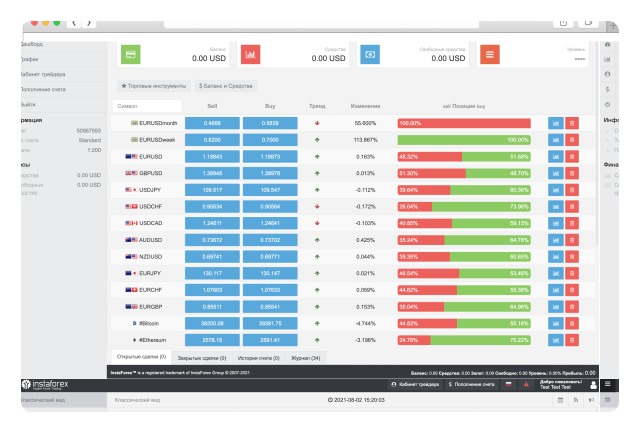
IFXBIT
This platform is mostly chosen by traders who prefer working with a modern interface. They also appreciate IFXBIT as its developers paid great attention to details. Users can customize the style, screen mode, and even the colors of technical indicators to their taste. The platform has a number of other advantages as well:
Подробнее
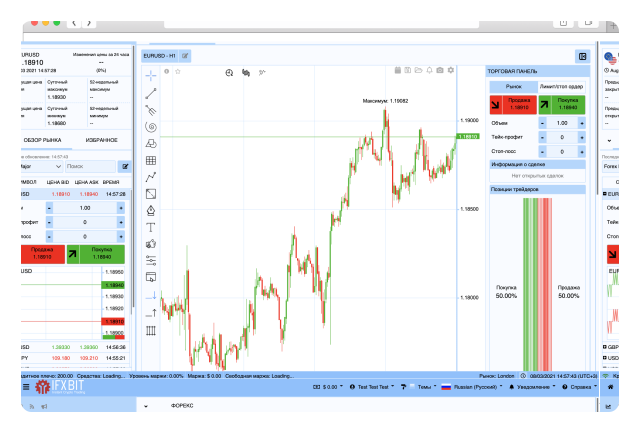
- wide array of technical and graphical tools for market analysis
- access to all trading instruments
- real-time display of price charts
- one-click trading
- large choice of deposit and withdrawal methods
Mobile Trading
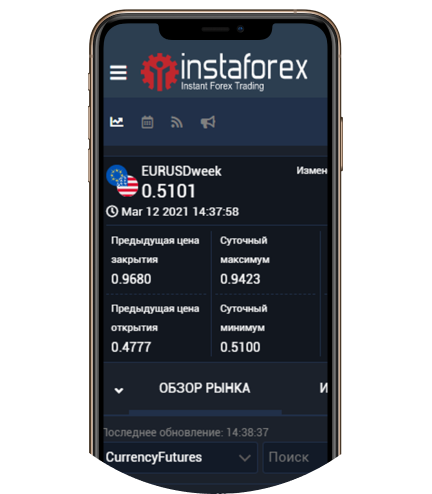
If you are an inborn leader who is always keen on victory, try your hand at SportFutures trading in the mobile app under the same name. We have put a great effort into developing this platform so that it will stand out from the similar ones. We have also installed many other peculiar functions in it, including:
- 01intuitive, user-friendly interface
- 02instant notification system
- 03trading history function
- 04great variety of deposit/withdrawal methods
- 05security and reliability
- 06constant updates
Desktop app for trading
MetaTrader4
A great choice for those who prefer to trade from a PC and have high performance at the same time. The app enables users to execute different tasks quickly (for instance, monitor several charts simultaneously). In addition, users are sure to take advantage of the reliability of the system as well as other useful functions:
- convenient tools for technical analysis
- automated trading
- wide range of free indicators and EAs
- locked positions available
- 128-bit encryption
- one-click trading mode
Windows
Mac OS
Linux
To install the platform, you need to download the distribution kit and run it. The installation steps will be the same. You can choose where exactly the trading platform will be located.
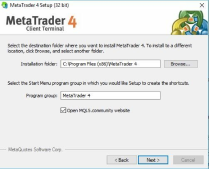
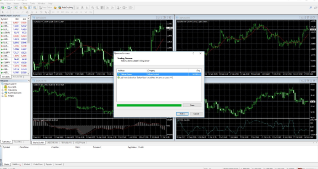
When the installation is completed, the MetaTrader 4 platform will be automatically opened with the default screen.
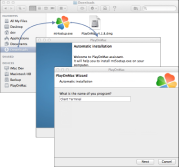
You can install the platform by using PlayOnMac, software running on Wine. With its help, the platform will be installed as a usual app for Mac OS: just drag the platform icon to Applications and wait until the installation is finished.
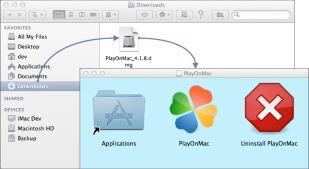
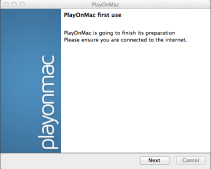
Run the downloaded file from the Downloads section of your device. After that, the launch window of PlayOnMac will appear. Click the "Next" button to start installing the components necessary for impeccable operation. Install them by following the instructions.
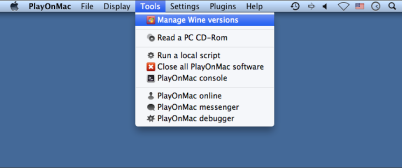
Wine is installed simultaneously with PlayOnMac. At the top of the menu bar, you need to find the latest version of this software by clicking the Manage Wine Versions command. To start the installation, drag the appropriate version to the right side of the window.
Download "mt4setup.exe" and run the installation file. You should go through all the installation steps. PlayOnMac will offer you to create shortcuts for the platform components. After that, you can start working: to launch the platform, double click on the icon in the PlayOnMac window.
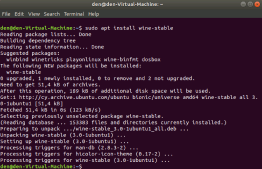
To run the platform on Ubuntu, you need to install the Wine software. The zip doc with appropriate files is located in the repositories of your system. With the latest versions of Ubuntu, you can install Wine through the OS platform by executing just one command.
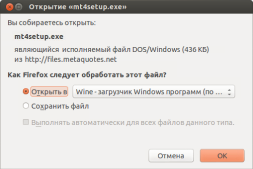
Download the installer "mt4setup.exe" and open the installation file. Select the option to open with Wine.
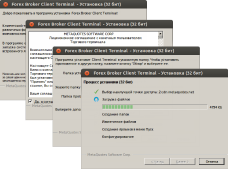
After launching the platform installer, you should go through all the installation steps. After that, you can start using the website by running the file terminal.exe.
1/0